
Find The Needle Conveyor Guide (2026): Direction and Fixes
How conveyors work in Find The Needle: placing a line, changing direction, reversing and enclosing belts, plus the layout mistakes that stop a factory.
Conveyor belts are the first real automation tool in Find The Needle. They move hay from the pile to a machine or a sell point without you carrying it. The store lists conveyor belts alongside balers, scanners, robotic arms and sorting machines, which makes the belt the spine of the factory.
This guide covers the parts that are stable across factory games and flags the parts that Find The Needle has not published. There are no confirmed default keybinds yet, so do not treat any “press R to rotate” claim as official.
Based on the Steam store listing and public demo as of November 2, 2026. The game did not have a public keybind list or conveyor manual at that time. Use the on-screen placement prompt in your build; this page explains the logic, not a specific key.
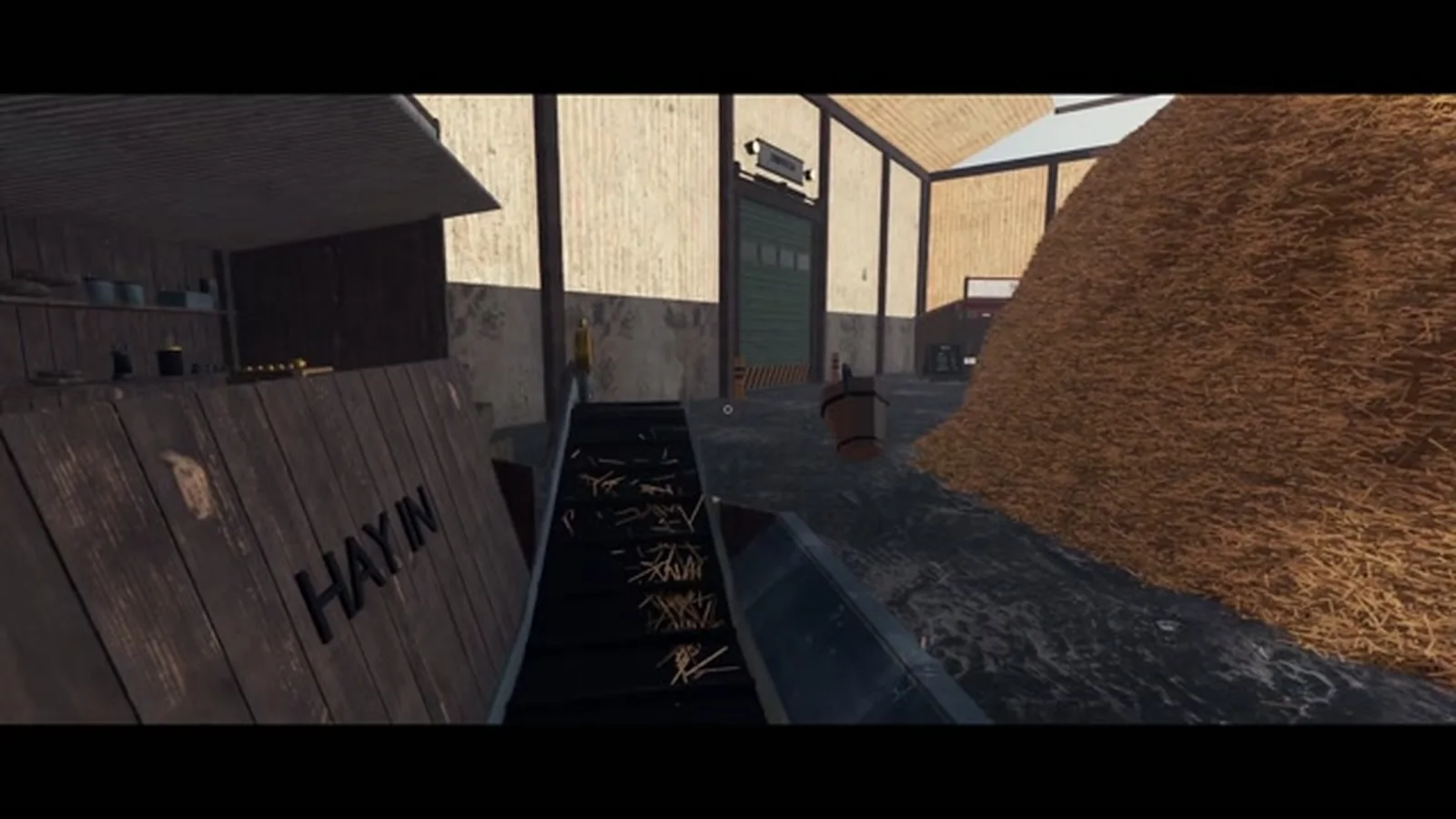
The basic belt
A conveyor has three parts:
- An input end where items are placed.
- A direction the belt moves items.
- An output end where items drop or transfer.
When you place a belt, the game usually decides direction from the way you are facing or the order of the two endpoints. If the belt runs the wrong way, you need to rotate it, reverse it, or replace it. The exact control is shown in the placement UI.
A belt that is placed but not connected is just a flat surface. Check both ends before assuming the belt is broken.
Changing conveyor direction
There are three common ways a factory game lets you change direction:
- Rotate before placing — the ghost preview shows the new direction.
- Reverse an existing belt — flips input and output without moving it.
- Replace the segment — delete and rebuild with the opposite orientation.
Find The Needle's store page does not document which of these exist. The public demo shows belts with a visible direction, and the placement preview is the reliable source. If a belt is moving the wrong way:
- Stand at the end where items should come out.
- Open the placement or interaction prompt.
- Look for a rotate or reverse option.
- If neither appears, remove the belt and place it from the opposite end.
Do not stack a second belt on top of a reversed one to “fix” direction. That creates a loop or a jam.
Corners and turns
A corner is two belt segments meeting at an angle. The items transfer if the output of one touches the input of the next. In most factory games, a corner needs a specific corner piece or a belt that curves; a straight belt placed diagonally will not connect.
Practical rules:
- Build the corner first, then the straights. It is easier to align the turn than to bend a long line.
- Keep turns 90 degrees unless the game offers curves. Diagonal belts often look connected but do not transfer.
- Leave one tile of clearance around the corner so you can see the item flow.
- Do not put a machine on the corner. It hides the transfer point.
If items stop at a corner, delete the corner and rebuild it from the output side. Nine times out of ten, the direction is wrong at the joint.
Enclosed conveyors
An enclosed conveyor is a belt in a casing. It protects the material, looks cleaner, and may allow tighter routing or vertical movement. The store lists “enclosed conveyor” as a search-adjacent concept, but the main store page only says “conveyor belts.” Treat enclosure as a build option to check in-game, not a confirmed separate machine.
When would you want one?
- the belt passes through a wall or a tight gap
- the material is spilling or being contaminated
- you want a clean factory floor
- the belt needs to go up or down without a visible ramp
When would you not?
- you are still diagnosing the line and need to see items
- the enclosure costs more than the belt it replaces
- you do not have the tech unlocked
Do not enclose a line you have not tested. Debugging an invisible belt is worse than debugging a visible one.
Belt capacity and spacing
A belt does not create material. It moves what it receives. The throughput of a line is the lowest of:
- pickup rate at the pile
- belt speed
- machine input rate
- machine processing rate
- output removal rate
If the belt looks full but the machine is idle, the machine is not accepting the item. If the machine is full but the belt is empty, the pickup is too slow. If both are full and the sell point is empty, the output is blocked.
A wider belt or a second lane only helps if the bottleneck is the belt itself. Most early factories do not have a belt bottleneck; they have a pickup or machine bottleneck.
Common conveyor mistakes
Looping the belt back into itself. This can look like a working line because items keep moving, but nothing is being sold. Check that the output goes to a machine or a sell point, not back to the input.
Feeding a machine from the wrong side. Many machines have a designated input. A belt touching the output side will not fill it.
Mixing products without a sorter. If hay and bales share a belt, the machine may reject the wrong item or process the wrong recipe. Use a sorting machine or separate lanes.
Building the belt before the machine. You will not know where the input is until the machine is placed. Place the machine first, then the belt.
Blocking the player path. A belt at chest height across a doorway is a wall. Route it along the wall or leave a gap.
Overbuilding before testing. A ten-segment line with one wrong corner is harder to fix than a two-segment line that works.
A simple first conveyor build
- Place the sell point or first machine.
- Place one belt segment touching its input.
- Walk back toward the pile, placing segments in a straight line.
- Stop one segment short of the pile so you can dig without hitting the belt.
- Drop a test load at the open end.
- Watch the item travel all the way to the machine.
- Only then add the next segment.
This “one segment at a time” method feels slow, but it prevents the classic mistake of building a long line in the wrong direction and having to rebuild all of it.
When to add a second belt
Add a second belt when the first one is consistently full and the machine is consistently hungry. If the first belt has gaps, a second belt just adds more gaps.
Add a sorter when two product types share a line. Add a buffer when the machine runs in batches and the belt arrives continuously. Add a second machine when the first machine is the bottleneck and you have the power and space for another.
The automation guide covers the full factory layout. The machines and tech tree covers what to unlock before you build.
Related pages
Sources
Steam store page for App ID 5160800 and the public demo, checked November 2, 2026. Conveyor belts are confirmed by the store listing; specific keybinds, corner rules and enclosure behavior are not published, so this page describes general factory logic and tells you to verify in-game.
Related Find The Needle Guides
A Steam wiki for Find The Needle by Needless Games: the six-million-strand haystack, 24 needles, money loop and factory automation for the 2026 EA launch.
Find The Needle has no Steam Achievements listed as of November 2, 2026. What that means, likely milestones, and how to prepare without fake unlock lists.
A structural guide to automating Find The Needle: manual vs semi-auto vs full-auto, belt layout, machine order, power and the bottlenecks that stall a factory.
A practical opening route for Find The Needle on Steam: what to dig, when to sell, which upgrades to buy first, and the mistakes that stall new factories.
How to install the free Find The Needle demo, what the Steam demo build includes, what it leaves out, and whether progress carries into Early Access.
Find The Needle playtime estimates: 7–10 hours on the Standard pile, 30+ hours on Mountain. Plus what is known about the ending and 24-needle completion.
More Find The Needle Guides
Answers to the most common Find The Needle questions: release date, price, demo, Early Access, multiplayer, Steam Deck, needles, playtime and mods.
Every hay product listed for Find The Needle — pulp, bales, eco bricks, paper, pellets, bioplastic and carbon fibre — and how to decide what to process first.
A guide to Find The Needle's 300+ upgrade tech tree and machine tiers: what to unlock first, how the five production stages fit together, and what to skip.
How to make money in Find The Needle: raw hay vs processed goods, delivery orders, reinvestment order, and why there is no universal best money farm yet.
Find The Needle is single-player only on Steam, with no co-op, no multiplayer and no Workshop support listed. Here is what the tags mean and how mods may work.
Find The Needle has 24 needles total, per the Steam store. How the hunt works, how to search efficiently, and why there is no public location list.
Find The Needle's Steam price was not announced as of November 2, 2026. Here is how to check it, what Early Access includes, and why the demo matters.
Find The Needle releases on Steam Early Access on November 6, 2026. Here is what is confirmed, what is not, and what to check on launch day.